Turns CO2 or charcoal acid is a chemical compound composed of two oxygen atoms covalently bonded to a carbon atom , may be one effective fire extinguishing media . Why CO2 into one powerful substance in the conquest of the fire ? This is because the properties are brought about by CO2 can reduce pattern chain reaction that occurs when fire . CO2 will change the composition of normal air into the lower air compositions . In other words, CO2 could reduce the volume of oxygen to be one element of the trigger fires . Because it is able to reduce levels of oxygen is then made CO2 fire extinguisher is not well placed in a closed room , because it causes the people in the room oxygen deficiency if the tool is used .
Some properties of CO2 :
1 . CO2 is not flammable properties ( anti burn )
2 . C02 have the heavier than air , so if CO2 is directed precisely at the source of fire , the CO2 will directly look for space around the source of the fire , to push oxygen into the fire conductor .
3 . CO2 include substances that are very cold and can cool the fuel .
4 . CO2 does not conduct electricity ( insulators ) , does not smell and does not leave marks .
CO2 fire extinguisher
Carbon dioxide fire extinguisher are environmentally friendly and do not leave a residue . Usually used in places that are sensitive to contamination such as computer rooms , laboratories , food penyimpanann place , etc. . Some special features that you can easily identify is a big plastic funnel . The funnel serves to direct C02 easily fire sources , funnel it also protects the consumer from the effects of cold hands . Way of usage is very simple , you just point the funnel to the entire surface of the burning material and then spray the fire with a fire extinguisher source of CO2 . CO2 fire extinguisher is very effective to appeal the class B and C fires
Source : Pemadamapionline
Showing posts with label Safety. Show all posts
Showing posts with label Safety. Show all posts
Tuesday, November 19, 2013

Monday, July 11, 2011
Is It Safe to Bank Online?
 Bank Online is one transaction that many could not resist as it offers many benefits nowadays, but is it safe to do this type of transaction? Here are 10 steps consumers to take to make sure their information is safe:
1. Don't talk to cyber-strangers, and don't click on hyperlinks within emails from strangers. "That's the easiest way to download malware to your computer," says McNelley.
2. Treat your smartphone like the computer it is. Downloaded apps can contain malicious codes, warns McNelley. "You have no idea who created that app, and very little code-checking goes on," she says.
3. Treat social networks like dark street corners. You never know who's lurking among your friends and acquaintances. Hackers have targeted Gmail, Facebook, and LinkedIn, and users of those sites should be especially wary of clicking on embedded links, even those "recommended" by friends.
4. Use the Net to your own advantage. If you bank online, you don't have to wait until the end of the month to check your statement. You can log in anytime and make sure nothing is amiss. An errant charge is often one of the first signs of identity theft, so check statements carefully and alert your bank immediately of any problems.
5. Get free help. Many credit card issuers offer free and automatic identify-theft protection to customers. (That's one advantage credit cards have over debit cards.) If you see erroneous charges on your statement, call your credit card company, which should investigate on your behalf.
6. Think of a new word. Consumers are tasked with remembering dozens of passwords for various retailers, banks, and accounts, making it almost impossible to remember them all, especially since they often include mixes of numbers and letters.
7. Never, ever give your Social Security number to anyone online. If a site asks for it during the checkout process, it's probably a scam site.
8. Shred or safely store financial mail. Bank statements, investment documents, and other financial paperwork can give thieves clues about account numbers, Social Security numbers, and other personal information.
9. Fight back quickly. If you are hacked, step one is calling your bank, says McNelley. That's because banks have sophisticated systems in place that can immediately begin closely monitoring your account for signs of identity theft.
10. Trust your gut. "You often hear, after consumers used an ATM with a skimming device, they had a bad feeling about it. If you do have that feeling, listen to it," says McNelley, and remove yourself from the situation.
Taking these simple steps is like remembering to lock your door at night, or turn on your alarm system. Says McNelley, "Bad guys go for the house that's unprotected. If you take the basic measures, then generally you have less risk about getting compromised."
Wednesday, June 29, 2011
Why Mobile Phone Use in Aircraft Are Not Allowed?
 Like most airline passengers, you probably have serious doubts about those pre-flight announcements asking you to turn off your cellphones, blackberries, iPods and anything else electronic.
The announcements are flat-out ignored by many frequent fliers, who are skeptical that so-called "personal electronic devices" pose any safety threat to airplane. Some passengers openly rebel, like New York Sen. Chuck Schumer, who cursed out one flight attendant who demanded he turn off his cellphone.
But a confidential industry study obtained by ABC News indicates there really could be serious safety issues related to cellphones and other PEDs.
A report by the International Air Transport Association, a trade group representing more 230 passenger and cargo airlines worldwide, documents 75 separate incidents of possible electronic interference that airline pilots and other crew members believed were linked to mobile phones and other electronic devices. The report covers the years 2003 to 2009 and is based on survey responses from 125 airlines that account for a quarter of the world's air traffic.
Twenty-six of the incidents in the report affected the flight controls, including the autopilot, autothrust and landing gear. Seventeen affected navigation systems, while 15 affected communication systems. Thirteen of the incidents produced electronic warnings, including "engine indications." The type of personal device most often suspected in the incidents were cell phones, linked to four out of ten.
The report, which stresses that it is not verifying that the incidents were caused by PEDs, includes a sampling of the narratives provided by pilots and crewmembers who believed they were experiencing electronic interference.
Wednesday, January 12, 2011
Tips to Stay Safe at Facebook
 Here's some advice from Sileo, who wrote the "Facebook Safety Survival Guide," about protecting online privacy on all social-networking sites:
• Never post your exact date and place of birth. It's invaluable information to identity thieves, particularly when the two are bundled together.
• Never post your address, phone number or email address. This is plum information to scammers and marketers who are looking for nuggets of your identity.
• Control who can see your personal information. Many social-networking sites have privacy features, but they change often. Know what they are, stay on top of them and restrict your page to your real friends, not friends of friends or someone you met in a bar.
• Limit information about your activities. If you must brag about a trip or a fabulous party, do it after the fact.
• Remember that what you post is public and permanent. Don't put up embarrassing photos that you wouldn't show your grandmother. Don't complain about your job or your boss. Don't say something to or about someone that you wouldn't say to his face. Don't threaten others.
• Know the four types of Facebook users: friends, outsiders, businesses and enemies.
• You should know exactly who wants to be your friend or is asking you to link into their network. Some people will befriend your friends to get to you or your company.
• Be wary of seemingly harmless quizzes. When someone invites you to take a survey, say, "10 Things Others Don't Know About You" or "My Favorite Things," it may be designed to harvest your data. The name of the street you grew up on or your favorite vacation spot could be clues to your passwords.
• Before you share any information anywhere online about yourself or your workplace, ask this question: What would the consequences be if this information fell into the hands of my boss, competitor or people who don't like me?
Wednesday, June 2, 2010
Safety Tips to Protect Yahoo Messenger and Facebook Account
 There are few things to consider when it comes to the security of your internet private account, the most and essential one is password protection.
First of all, avoid using the same password for different accounts.
If the password user has difficulty to remember different passwords, then he or she needs a special application, a reminder application such password reminder program can be downloaded for free from Windows, and this is one good solution to this problem.
You just need to know from the password reminder and subsequently what you need is just copy-paste it to yahoo, twitter, mail server, hotspot, internet banking and other accounts.
If you want to be more secure, you can create an email account with your own domain. Free email accounts like Yahoo, Gmail and other are risky and most of the time becomes object of piracy when the users are not careful, not to mention hackers have their own ways to break your password(s).
It is highly recommended to change the password regularly and properly. Pay attention to your surrounding area when changing your password, it will keep you safer.
Monday, April 26, 2010
Study in Progress: The Impact of Cell Phones
 Some researches have shown that cell phones had no impact on the health of a person, but experts said the study period is probably not long enough to detect certain diseases, like cancer. That is why, Cosmos research will be undertaken in a period of five years.
The researchers said the current best way to do it is to monitor the health of mobile phone users in certain period of time. "In this way we can get a real picture to determine whether there is a link between cell phones and disease," said Dr Mireille Toledano, researchers from Imperial College London.
Later the study was not limited to brain cancer, given the current people use mobile phones in a variety of ways, including to open the site, so the phone does not always have to be used near the head.
"We'll see a variety of health impacts that may arise, including various cancers, such as the skin cancer and diseases related to brain nerves. Disorders and complaints such as headache, tinnitus, depression, and sleep disorder also will be monitored," said Toledano.
Let's wait for the results. Does electromagnetic radiation that has been accused of a health hazard actually proven.
Tuesday, September 8, 2009
Dormvault laptop safe
 Not every roommate is trustworthy so just face it, your roommate is nice enough. Seems he or she just eats his o her food, and doesn't touch your stuff. But do you really trust him with everything? Would you trust him with your laptop, wallet and your phone? To some, laptop is the entire life! It's got all your papers on it, your music maybe even pictures of you and your girlfriend naked!
Some people put their trust on the cable-lock which seems to be adequate to secure laptop, but not only can those things just be clipped off with a cheap bolt-cutter, someone can still turn on and use your laptop without even removing it! We couldn’t call that as security. What you require is some serious shield. Something that can protect your lappy down, keeping it physically protected from thievery hands, as well as potential data-thieves.
Look what we found, it is so simple and yet totally ingenious. A big metal box with a lock (simple), that bolts to your dorm-furniture from the inside (ingenious)! With the lid closed and locked, the wing-nuts that hold the vault in place get locked in with your valuables. It's one of those "gah, I wish I had thought of that" things.
This box is big enough to hold a 17" laptop and accessories; you could even place a portable drive or two in there, your phone - even your wallet if you were so inclined, this box comes with comes with mounting brackets, multiple-size bolts, wingnuts and combination lock. Now you don't have to worry about whether or not your roommate is trustworthy. As they say, good locks make good neighbors, this one will help you earn this!
Wednesday, October 29, 2008
Public Computer Safety Tips
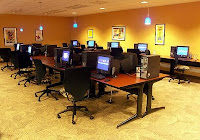 With spying software, a criminal can grab your passwords and usernames. Ultimately, you could lose your money or have your identity stolen. That should tell you enough to be wary of public PC terminals.
Here are five things to consider when you sit down in front of a strange computer:
1.Check for spy programs.
Download X-Cleaner spyware remover from Xblock.com. Put it on a floppy disk. If the public computer you use has a floppy drive, insert the disk and run X-Cleaner from the floppy to check the hard drive. You do not have to install X-Cleaner.
2.Erase your tracks.
When you use an Internet browser, it keeps records of where you went. When you finish surfing with Microsoft Internet Explorer, click Tools > Internet Options. On the General tab, click Delete Files and Delete Cookies. Then click Clear History.
If you're using Netscape Navigator, it's a little more complicated. Follow these steps.
•Check the settings before going online. Click Edit and Preferences. Click the arrow next to Navigator and select History. On the right, find Browsing History. Change "Remember visited pages" to 0.
•Click on the arrow next to Privacy and Security. Select Disable Cookies and Disable Cookies in Mail and Newsgroups.
•When you finish surfing, click Edit and Preferences. Click the arrow next to Navigator. Click Clear History and Clear Location Bar. Go to Privacy and Security on the left side and click the arrow. Select Cookies. Click Manage Stored Cookies. On the Stored Cookies tab, click Remove All Cookies.
•Now go to Advanced, in the left-hand panel. Click the Arrow and click Cache. Click Clear Memory Cache and Clear Disk Cache.
3.Protect your passwords.
Browsers also track passwords. Before going on the Web, if you're using Internet Explorer, click Tools > Internet Options. On the Content tab, click AutoComplete. Uncheck the four boxes.
When you finish surfing, again click Tools > Internet Options. Go to the Content tab and click AutoComplete. Click Clear Forms and Clear Passwords.
If you're using Netscape, click Edit and Preferences. Click the arrow next to Privacy and Security. Click Passwords. Clear the box next to Remember Passwords. When you finish browsing, click Passwords again, under Privacy and Security. Click Manage Stored Passwords. Select the Passwords Saved tab and click Remove All.
Netscape has a feature similar to AutoComplete. It saves data entered into forms. To disable that, under Privacy and Security, click Forms. Uncheck "Save form data from Web pages when completing forms." When you finish browsing, return to the Forms page. Click Manage Stored Form Data. Click Remove All Saved Data.
Cleaning out the browser will ensure that no one can track your surfing or grab your passwords with saved data. But a keystroke-logging program will still catch your passwords.
Some — but not all — key-logging programs can be defeated if you copy and paste in the letters or numbers of your password. For instance, say the page you have open in the browser has lots of type on it. And say your password is jim (let's hope it's not that simple!). Find a "j," an "i" and an "m" on the page. Copy and paste them into the password box.
Probably the best password protection is a temporary password. Use it while you're on the road, then discard it.
4.Don't rely on encryption.
There are a number of encryption packages on the market. They can be used to encrypt e-mail. However, they encrypt the mail when the Send button is clicked. That's too late if a key-logging program is on the computer. It will make a record of the password and message as it is being written.
5.Use some common sense.
Public computers may be secure. But you really have no way of being sure. You can secure your home or business computer, but you can't be certain of what has been done with a public machine.
Approach these machines with care. Don't do any banking or stock trading on them if you can avoid it. Avoid credit-card transactions. Use a temporary password if you must check your e-mail. And ask your system administrator how to "expire page views."
If you're just surfing, that should not be a problem. But avoid sensitive business if you can. There might be a Juju Jiang watching.
Tuesday, March 25, 2008
Safety always comes first
.jpg) An accident can unexpectedly happen anytime as a threatening in our life whether in workplace, at home or any other outside activities. Be prepared and plan your safety in life is an important thing, especially when you live in a high risk environment from natural disaster (e.g. volcanic eruption, earthquake, and landslide).
An accident can unexpectedly happen anytime as a threatening in our life whether in workplace, at home or any other outside activities. Be prepared and plan your safety in life is an important thing, especially when you live in a high risk environment from natural disaster (e.g. volcanic eruption, earthquake, and landslide).Care about people safety and believing that safety always comes first, Boss-Safety (boss-safety.com) as privately held corporation founded in 1999 offer you a single source for all your safety equipment needs. They distribute quality safety supplies and first aid products, specializing in the customization of disaster and safety preparedness kits.
Boss-Safety provides wide range of safety supplies in many product categories, trying to become a complete source offering a full line of safety equipments. They also provide you with the knowledge and “know-how” to select the right application at the right price.
Straighten with leading manufactures of PPE and always come out with their new and innovative safety items, Boss-Safety always guarantee their customers with high quality safety supplies and first aid products. One of their best choice’s products is Pelican cases, the leading manufacturer of high quality protector cases that offered in all sizes; from micro and small cases, to medium and large cases, from cube and long cases, to first aid and laptop cases.
To make sure customers can get the right personal protective equipment that fit their needs, Boss-Safety can create customized safety kit according to your specifically and appropriate need.
Don't wait until something happens to realize you are not prepared for an emergency...Plan Ahead! Just visit Boss-Safety.com and let their team to assist you in the choosing of products that meet the standards of your personal safety equipments.

Subscribe to:
Posts (Atom)


